Billing and subscription
You can start, update, or cancel your Mitzu subscription at any time from the Billing tab in Workspace Settings. Billing applies to your entire Mitzu organization, not to a single workspace.
New subscription
Visit our pricing page to pick the plan that fits your company best. If the Starter plan does not meet your requirements, contact us at support@mitzu.io.
To start a new subscription on the Starter plan, select the billing period, enter the number of seats you need for your team, and click Subscribe.
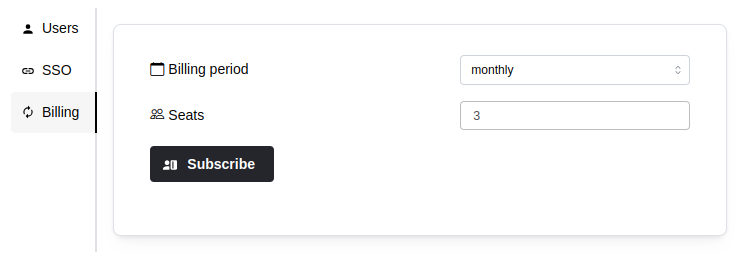
You will be redirected to a secure payment page to enter your payment details. Payments are processed by a third-party provider — Mitzu does not store your payment details. Once the subscription is confirmed, you are returned to Mitzu.
Manage subscription
The Billing tab shows the details of your current subscription and lets you download recent invoices. Click Manage subscription to change the number of seats, switch the billing period, or cancel.
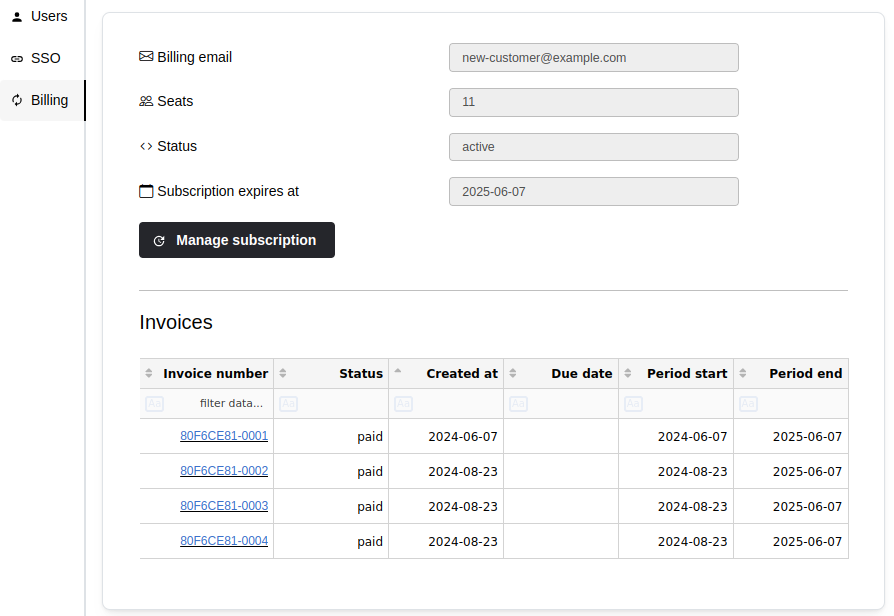
Update subscription
To change your subscription details, click Manage subscription and follow the instructions on the payment page.
Cancel subscription
To cancel your Mitzu subscription, click Manage subscription and follow the instructions on the payment page.