API keys
API keys let you perform actions in your Mitzu organization through the Mitzu API. Each key is tied to your organization, not an individual workspace.
Viewing existing API keys
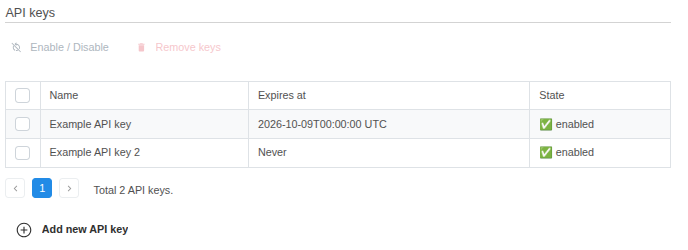
Your existing API keys are shown in a table with the following columns:
- Name — a label used to identify the API key.
- Expires at — the date the key stops working.
- State — the current status:
enabled,disabled, orexpired.
Creating a new API key
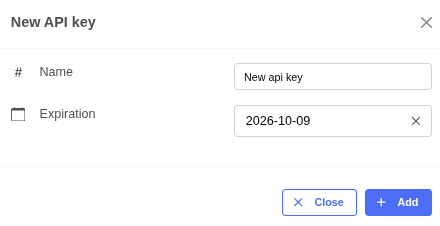
- Click Add new API key.
- In the dialog, enter a Name and (optionally) an Expiration Date. Leave the expiration date empty if you want the key to never expire.
- Click Add to generate the key.
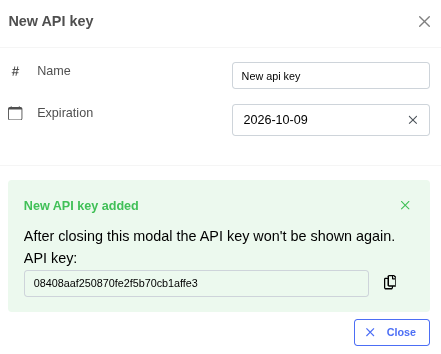
The generated key is displayed once. Copy it immediately — Mitzu will not show it again after the dialog is closed.
Enabling or disabling an API key
You can toggle a key between enabled and disabled without deleting it:
- Select the key by checking the box in its row.
- Click Enable / Disable.
- The key's state updates immediately.
Deleting an API key
- Select the key by checking the box in its row.
- Click Remove.
- In the confirmation dialog, click Delete to permanently remove the key.