Workspace settings
The Workspace settings tab collects the everyday workspace-level actions: naming the workspace, flagging it as the default landing workspace for new teammates, clearing caches, and — as a last resort — deleting the workspace.
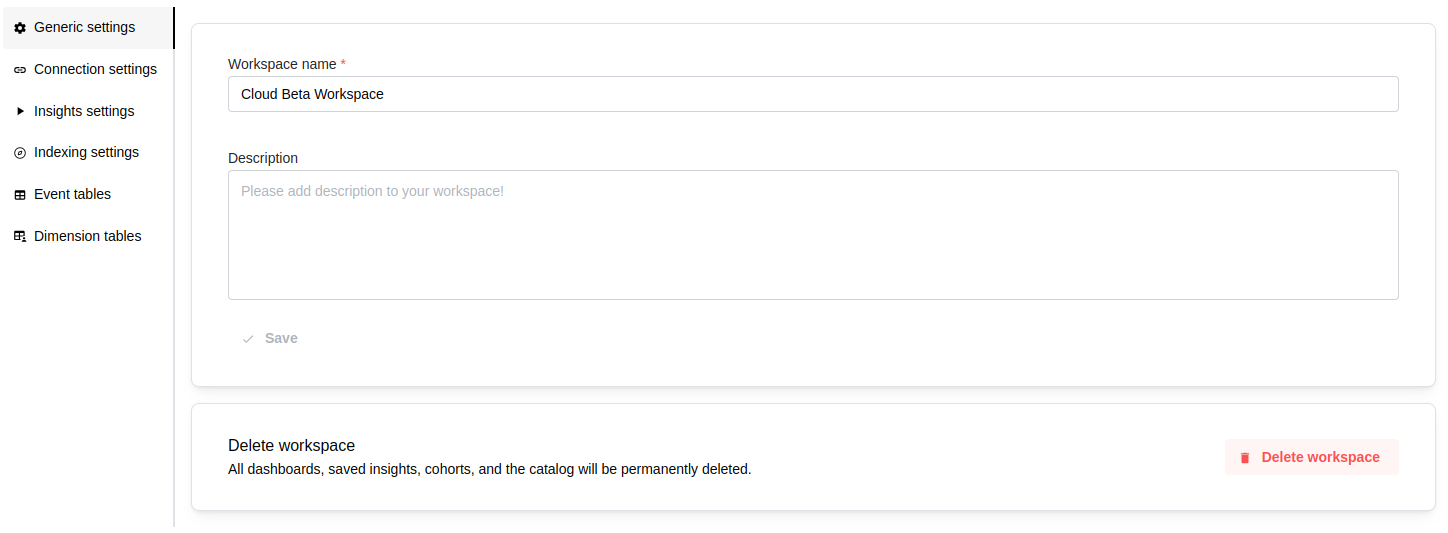
Workspace details
-
Workspace name (required): shown in the workspace switcher and anywhere the project is referenced. Keep it short and specific (for example
Marketing Analytics,EU Prod). -
Description (optional): a short summary that helps new members orient themselves — what the workspace is for, which team owns it, and anything else worth flagging.
Both fields autosave as you type.
Home banner
Admins can pin a curated banner to the top of this workspace's home page — handy for announcements, maintenance windows, onboarding tips, or links the whole team should see. The banner spans the full width of the home page and sits above every other widget. Everyone with access to the workspace sees it; only Workspace Admins can edit it (the Workspace settings tab is admin-only).
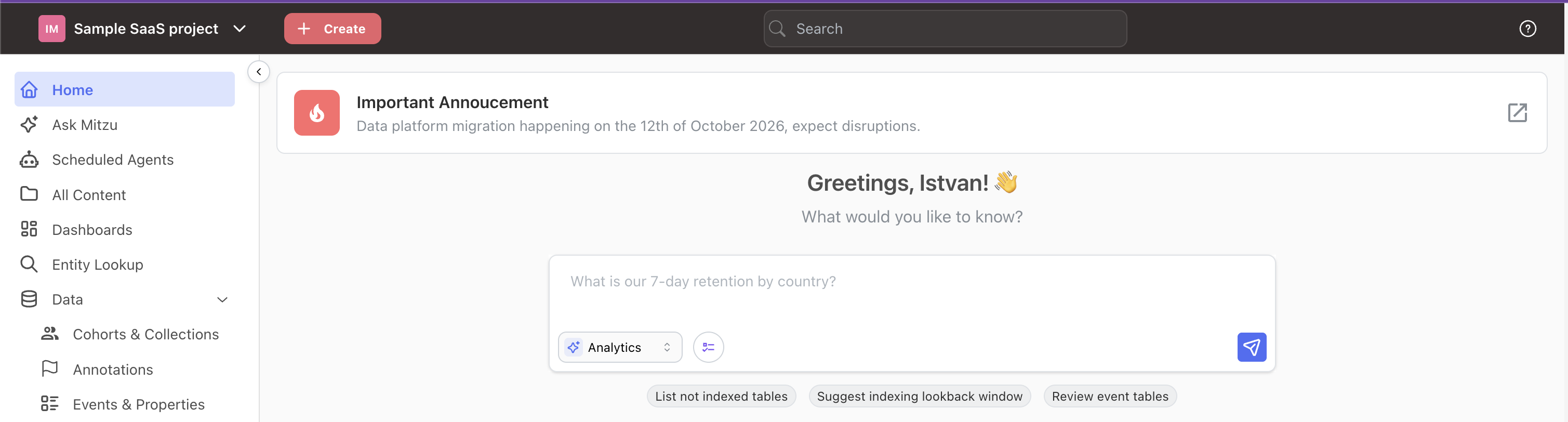
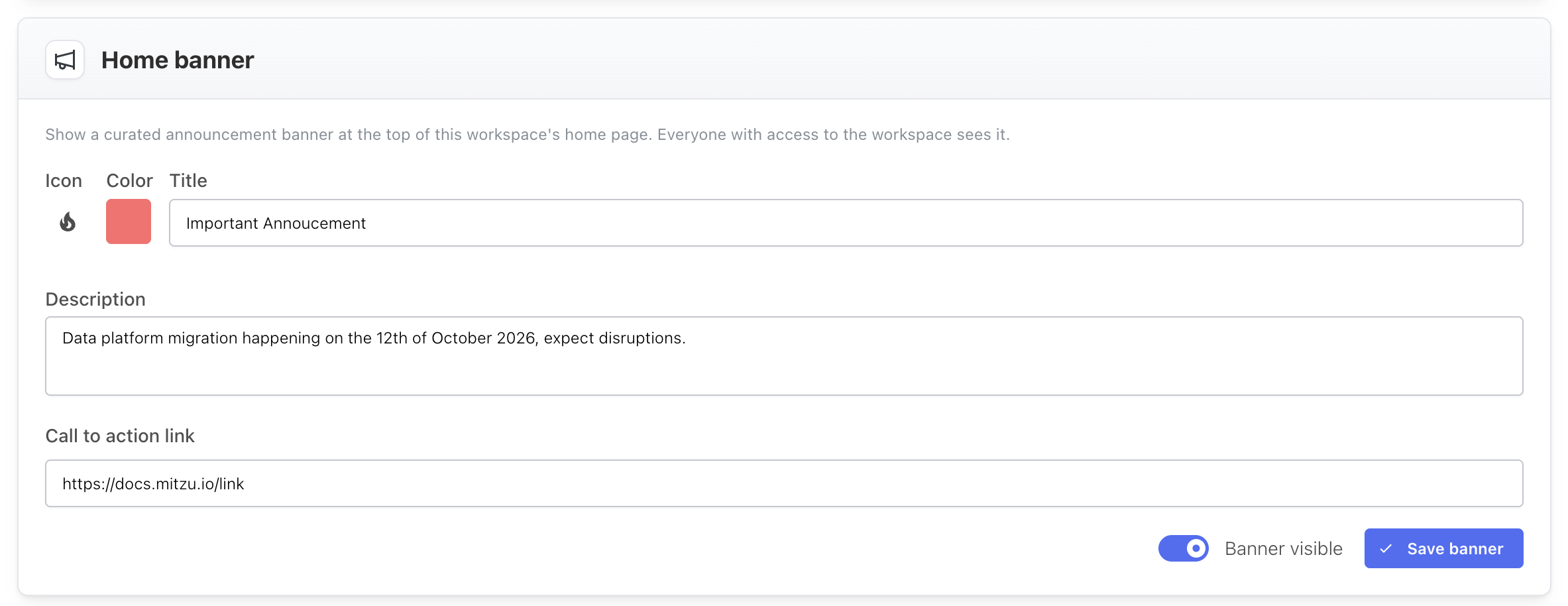
Configure it from Workspace settings → Home banner using these fields:
-
Icon: pick an icon from the icon picker. It renders on the left of the banner in a fixed-width, colored tile.
-
Color: a shade from Mitzu's chart palette. It tints the icon tile.
-
Title (required): the headline shown in bold.
-
Description (optional): a short supporting line shown under the title.
-
Call to action link (optional): a URL. When set, the banner shows an open-in-new icon on the right that links out to it in a new tab.
Use the Banner visible toggle to show or hide the banner without losing its content — when it's off (or no banner has been saved), nothing appears on the home page. Click Save banner to apply your changes; they take effect on the home page immediately.
Default workspace
- Set as default workspace: new teammates land in the default workspace the first time they sign in. Each organization has exactly one default at a time — clicking the button on a different workspace moves the flag. When this workspace is the default, a blue "This is the default workspace" banner appears under the button.
Refresh metadata cache
Mitzu caches schema, table, and column metadata so the UI stays responsive. Use Clear cache after you've:
- Added or removed tables/columns in your warehouse and they aren't appearing in dropdowns.
- Updated permissions for the Mitzu warehouse user and expect new objects to become visible.
- Changed catalog configuration and want to force a re-fetch on the next use.
Clearing the cache only invalidates metadata — dashboards, saved insights, and cohorts are not affected.
Delete workspace
Permanently removes this workspace and everything inside it:
- Event and property catalog
- Saved insights
- Saved dashboards
- Cohorts
- All workspace settings (entities, connection, indexing, etc.)
A confirmation dialog protects against accidents. This action cannot be undone — if you want to temporarily hide a workspace, unassign members or rename it instead.
Changes are saved automatically (except the destructive actions above, which require explicit confirmation).