Connect your warehouse
Mitzu queries your warehouse directly; it never copies your event data. All queries leave the stack from one
fixed address, the EgressIp stack output.
Connect
-
If your warehouse restricts access by IP address, allow
EgressIp. Mitzu shows the same address under Allow Mitzu's IP address on the connection form. -
In the workspace, open Settings → Workspace → Data → Connection and pick your warehouse, or Uploaded CSV to try Mitzu with a file. See warehouse integrations for what each one needs.
-
Fill in the details and choose Test connection & Save.
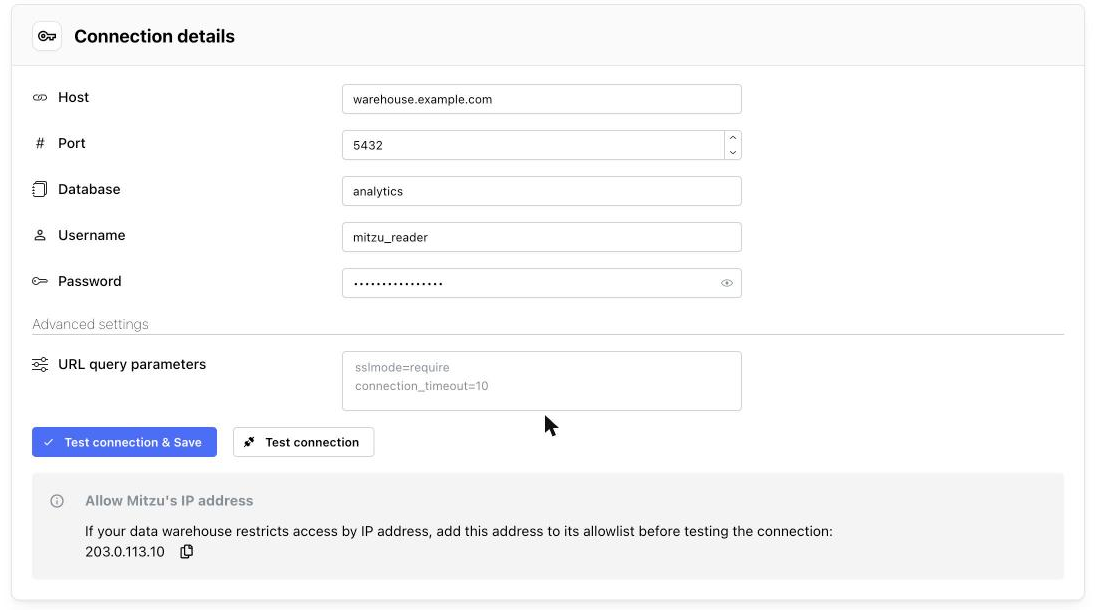
Once the connection is saved, the Data menu also shows Event tables, Dimension tables and the other pages that need a connection.
Add event tables
-
Open Settings → Workspace → Data → Event tables and choose Add event tables.
-
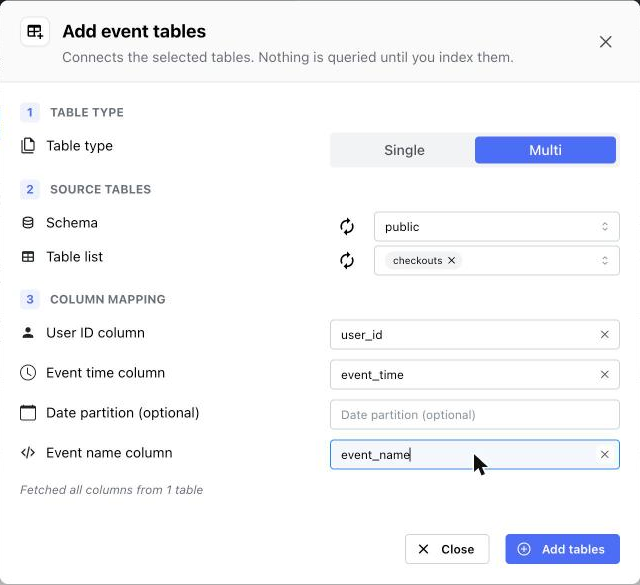
Under Table type, choose Single if each table holds one event, or Multi if one table holds many events, told apart by a column with the event name.
-
Pick the Schema and one or more tables from the Table list.
-
Under Column mapping, enter the columns that hold the user ID and the event time, and the event name for Multi tables. To choose from the table's columns, open a field and select Fetch columns.
-
Choose Add tables.
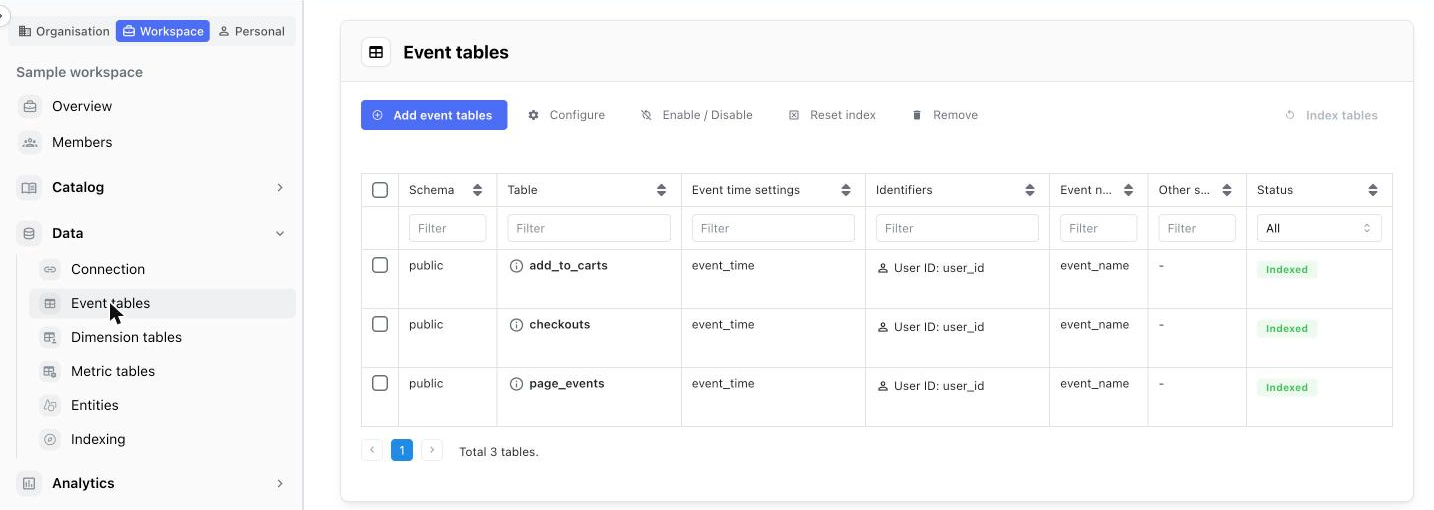
Mitzu starts indexing straight away. Each table shows Queued and then Indexed in the Status column, and the list updates by itself. Small tables take seconds; large ones take longer. See event tables for every setting.
Notes for warehouses in AWS
- Redshift, RDS or Aurora: the endpoint must accept connections from
EgressIp. Endpoints that are only reachable inside another VPC aren't supported yet. - Redshift connects with a database username and password.
- Athena connects with an access key. Create an IAM user limited to the databases and the query-results bucket Mitzu needs.
- Snowflake, BigQuery and Databricks connect over the internet through
EgressIp.