Turn on AI and connect AI tools
Mitzu's AI agent runs on Claude. On a self-hosted stack you bring the credentials, and every AI call is billed to your account with that provider.
Per organisation (recommended)
- Open Settings → Organisation → AI credentials.
- Enter one of:
- An Anthropic API key, sent to
api.anthropic.com. - Your own gateway in front of Claude, for example one that forwards to Amazon Bedrock: enter its URL as the Host, its key, and the Auth method it expects (Bearer token for most gateways). Tick Use a custom model id if the gateway names models its own way.
- An Anthropic API key, sent to
- Choose Test connection, then Save credentials.
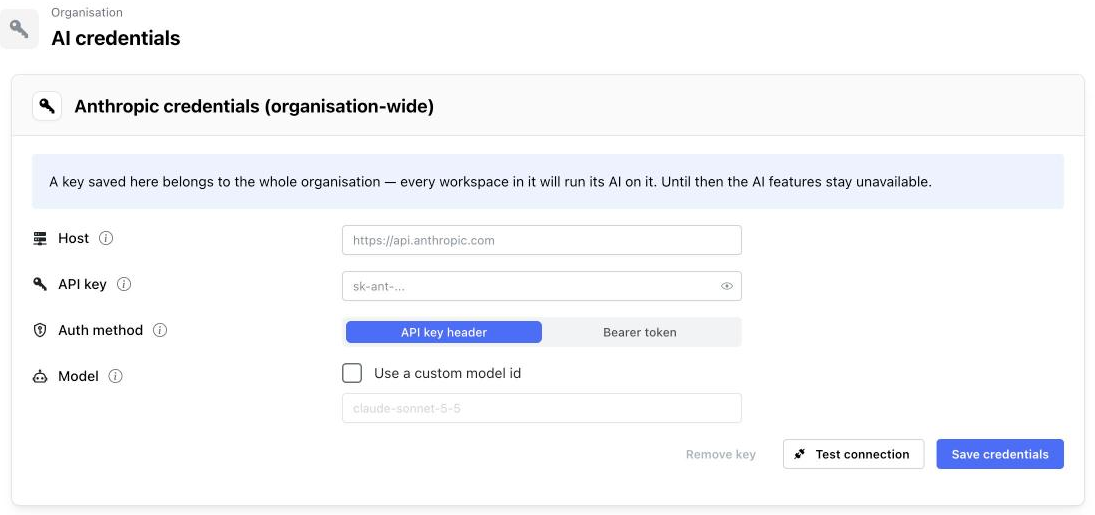
Leave Host empty for api.anthropic.com. Until a key is saved, the AI features stay unavailable. See
AI settings for every field.
Stack-wide key
An AWS administrator can instead store one Anthropic key for the whole stack:
- In Secrets Manager, open the secret named in the
AnthropicApiKeySecretArnoutput and set its value to{"api_key":"sk-ant-..."}. - Restart the services so they read it: in ECS, open the stack's cluster and choose Update
service → Force new deployment for
web,scheduler,indexing,genericandmcp.
A key saved per organisation in Mitzu takes precedence over the stack-wide one.
Connect Claude, Cursor and other MCP clients
Mitzu serves an MCP endpoint at https://<your host>/mcp. Settings → Workspace → Integrations → MCP has
ready-to-copy steps with your own address for Claude, Claude Code, Cursor, Codex, ChatGPT, VS Code, Gemini CLI
and other clients.
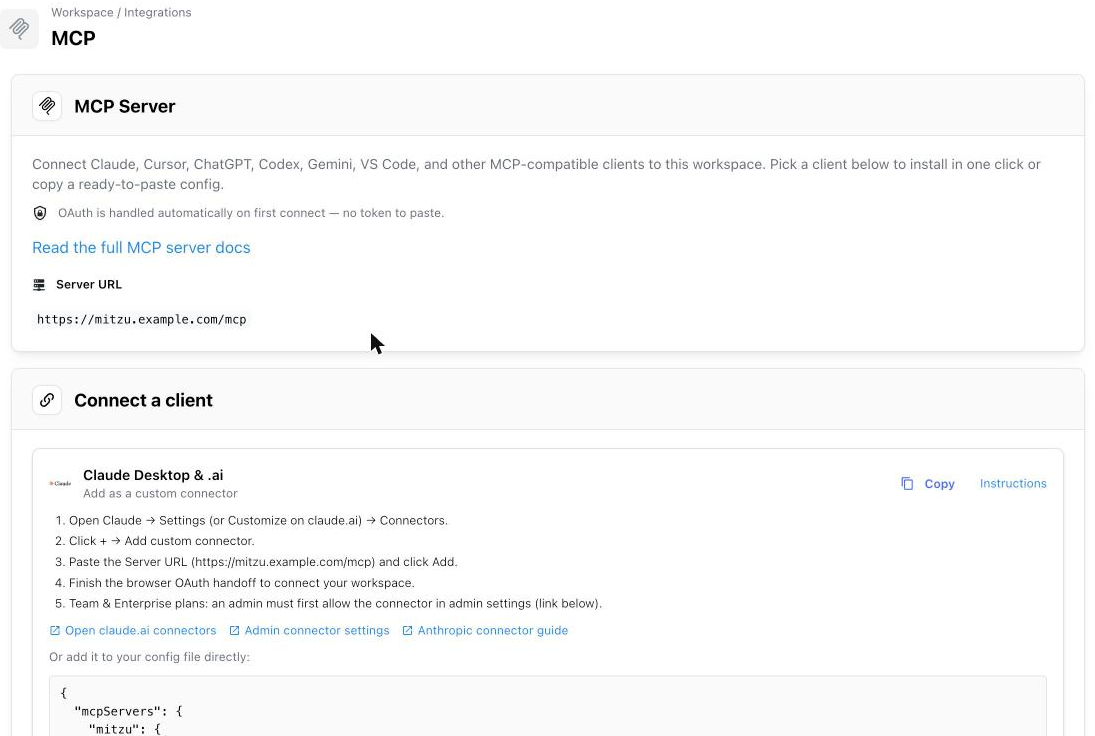
For example, in Claude Code:
claude mcp add --transport http mitzu https://mitzu.example.com/mcp
The client opens a browser, you sign in to Mitzu as usual and pick the workspace it may use. The client stays signed in as long as it is used at least once every 30 days. Removing someone from the organisation cuts off their MCP access at once.
claude.ai and Claude Desktop connectors call the endpoint from Anthropic's network, so they only work
when the stack is reachable from the internet. Clients that run on your machine, such as Claude Code
and Cursor, also work with AllowedIngressCidr limited to your network.