Memory
Without memory, you repeat the same context in every chat: the time range you usually want, how your team defines an active user, which accounts to leave out. Memory is a set of short topics the agent keeps across chats, and it applies the ones that bear on each question without being asked.
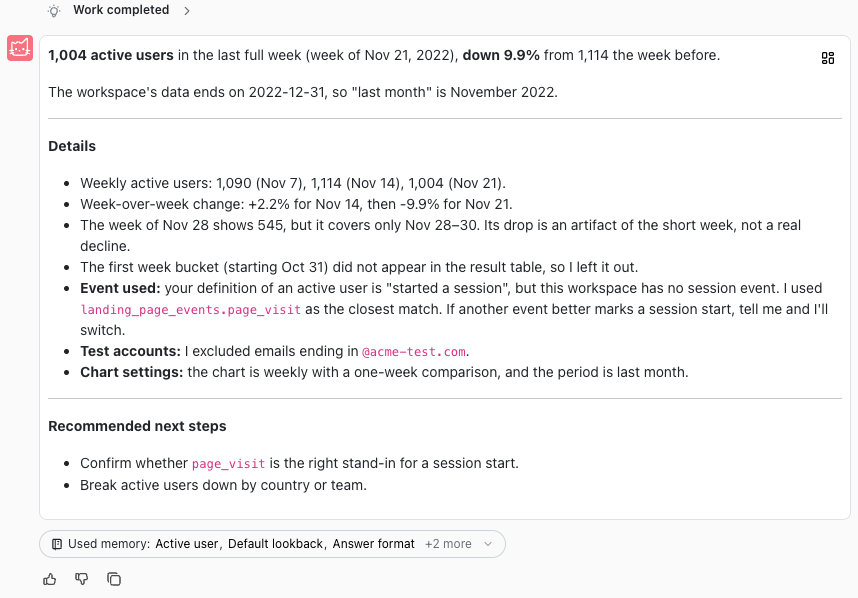
Memory replaces custom instructions. If your workspace had Custom instructions in its AI settings, they are now topics in workspace memory, and your personal AI instructions are now topics in your personal memory. The agent no longer reads the old instructions.
Use cases
- Use weekly charts unless I say otherwise.
- When a question gives no time range, use the last month.
- An active user is anyone with a page visit in the period.
- Leave out accounts with emails ending
@acme-test.comfrom every analysis. - Lead with the number, then the week-over-week change.
Personal and workspace memory
Every topic is either personal or workspace memory.
- Personal topics belong to you. They apply in every workspace of your organisation, and only you see them.
- Workspace topics apply to everyone in the workspace. Everyone in the workspace can see them; only Workspace Admins and Workspace Owners can change them.
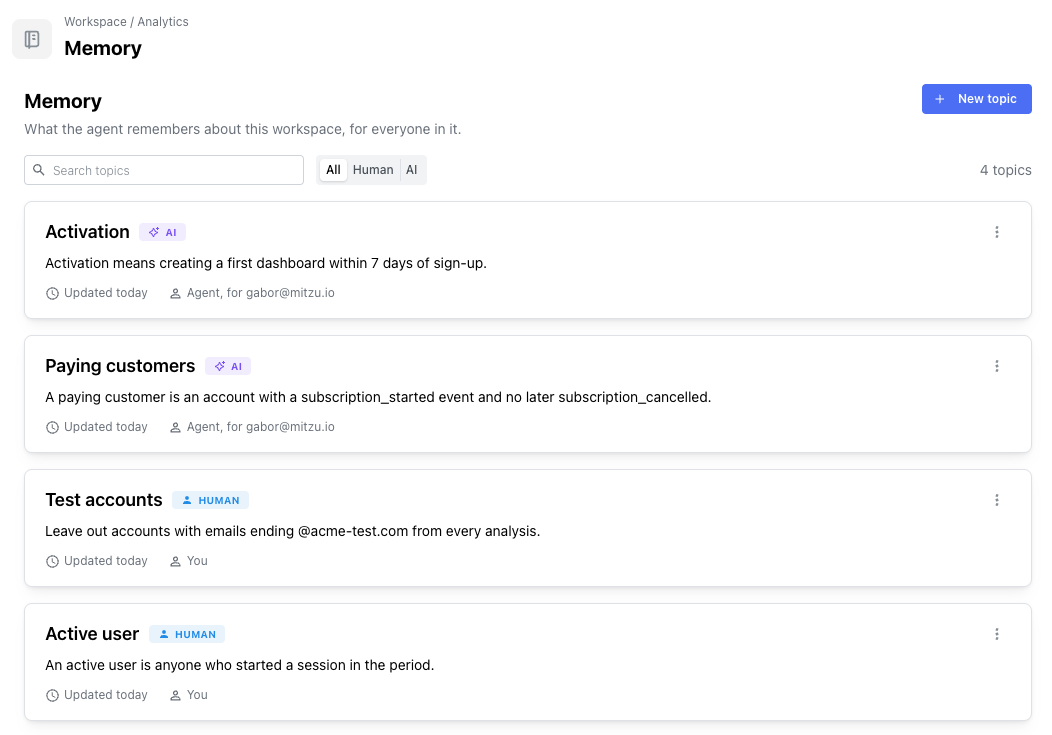
A topic has a title, a one-line summary and optional details. The summary is what the agent sees with every question; it reads the details when it opens the topic.
Saving to memory
Ask the agent to remember something, and it saves it to your personal memory. A chip under the answer names the topic; click the title to open it.
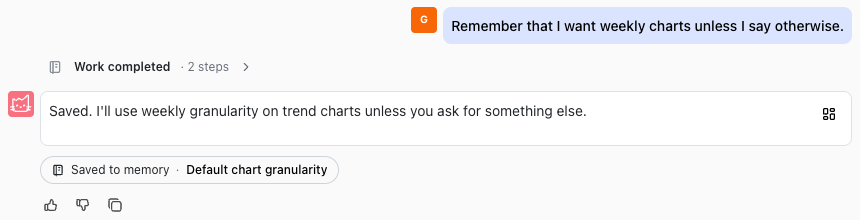
The agent also saves on its own when you correct how it did something, state a definition, or repeat the same setup across questions. It doesn't save one-off filters such as "Germany only", anything that only applies to the question at hand, or credentials and personal data.
When you ask it to forget something, it removes the topic, and the chip says so.
Facts about the team
When an admin asks the agent to remember something for the team, for example "remember for everyone that trials last 14 days", it saves it to workspace memory straight away. When the agent picks up a team fact any other way, such as "remember that our fiscal year starts on 1 April", it asks first on a card. You can change the text, then choose Save for workspace, Just for me or Don't save.
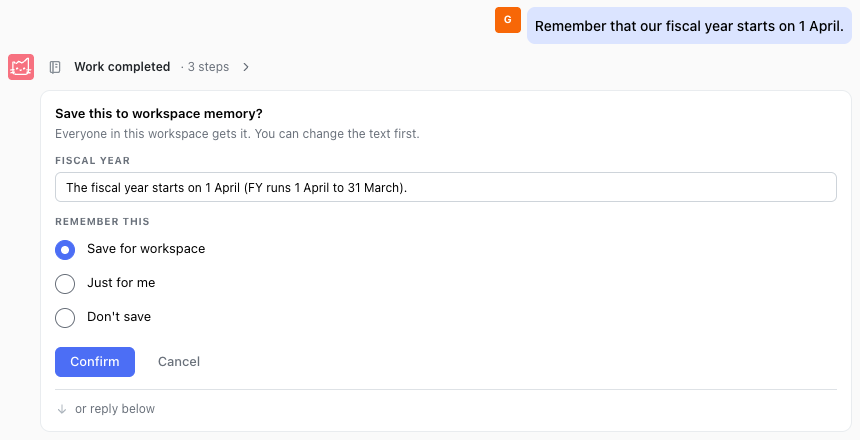
When someone who can't change workspace memory asks the agent to remember something for the team, it explains that admins manage workspace memory and offers to save it just for them.
Topics a person wrote
Topics carry a Human or AI badge. The agent changes or removes a topic a person wrote only when someone asks it to, or confirms the change on a card. When what you say contradicts such a topic, for example you call a different time range your usual one, the agent answers your way and then offers the update on a card.
Editing a topic the agent wrote makes it human-written.
Memory in an answer
The agent sees the summary of every topic with each question, and opens the topics that bear on it. Used memory under the answer lists the topics it opened: the first three, then +N more. Click a title to open the topic.
A choice in your question always wins over a saved default: "last year" overrides a default of the last month.
Viewing and editing memory
The Memory button in the chat input opens your memory. Switch between Workspace and Personal, search, and open a topic to Edit or Delete it. Open in settings takes you to the full list.
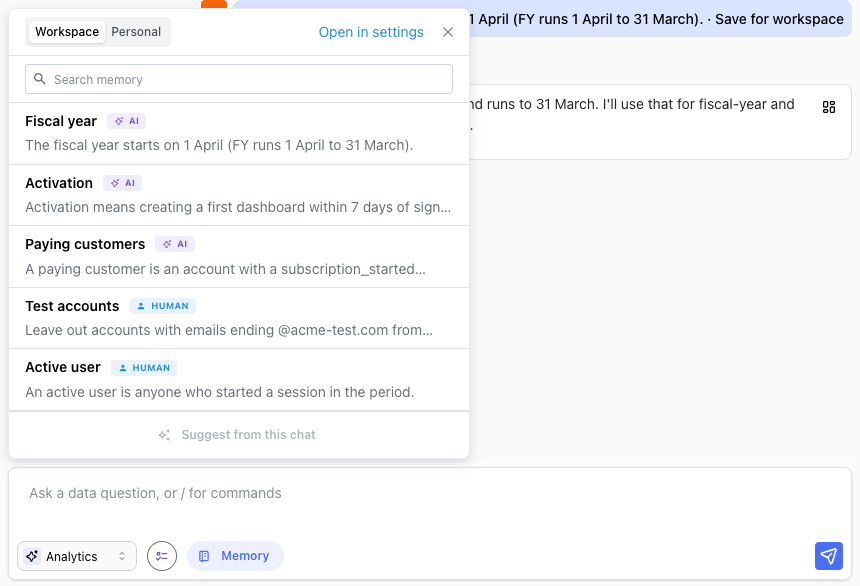
The full lists are in Settings → Workspace → Analytics → Memory and Settings → Personal → Memory. There you can also add a topic with New topic and filter the list by Human or AI. Changes apply from the next chat.
Memory elsewhere in Mitzu
- Slack and MCP — the agent uses memory the same way. Instead of a chip, it says in its answer what it saved.
- Configuration agent — reads and saves memory the same way as the analytics agent.
- Scheduled agents — runs use the memory of the person who created the agent, and never change it.
For what memory stores and who can see it, see Data & Privacy.