Planning Mode
Planning mode turns a complex question into an explicit, editable plan that you review and approve before the agent starts working — so you catch wrong assumptions in seconds instead of waiting for a finished analysis to spot them.
When to use planning mode
Planning mode is most useful when the right approach to a question isn't obvious — you want to align on direction before the agent spends time pulling data. Good fits:
- Broad, open-ended questions — "Why is retention dropping for our paid users?"
- Multi-step investigations — questions that need a sequence of analyses, breakdowns, or comparisons to answer well
- Ambiguous scope — when there are several reasonable ways to interpret the question, and you'd rather pick one than have the agent guess
- High-stakes analyses — when you'll act on the result, getting the approach right matters more than getting an answer fast
Skip it for direct questions that just want a number. "How many users signed up last week?" doesn't need a plan — it needs an answer.
How to invoke planning mode
There are two ways to start a conversation in planning mode.
Slash command
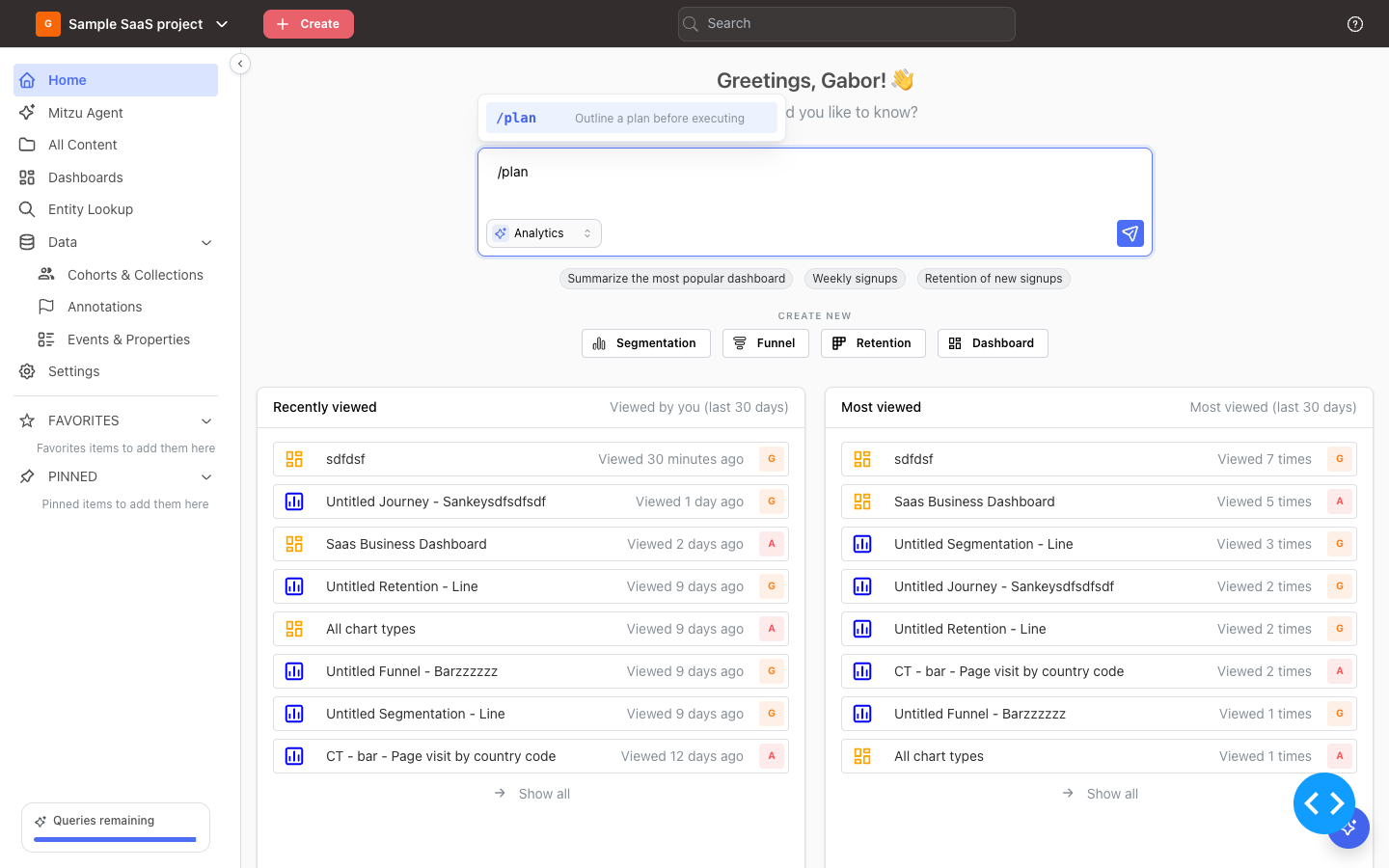
Type /plan followed by your question in any agent input — the home page input bar, the full-screen Mitzu Agent page, or the floating sidebar agent.
/plan why is retention dropping for our paid users?
Typing /plan on its own shows brief inline help describing what the command does:
Natural language
The agent also recognizes methodology phrasings and switches into planning mode without a slash command. Examples:
- "How should we investigate the onboarding drop-off?"
- "What's the best way to figure out why churn spiked last month?"
- "Make a plan first before doing anything."
Direct questions ("why is retention dropping?") still get the agent's default behavior — straight to the investigation, no plan.
What the agent does before proposing a plan
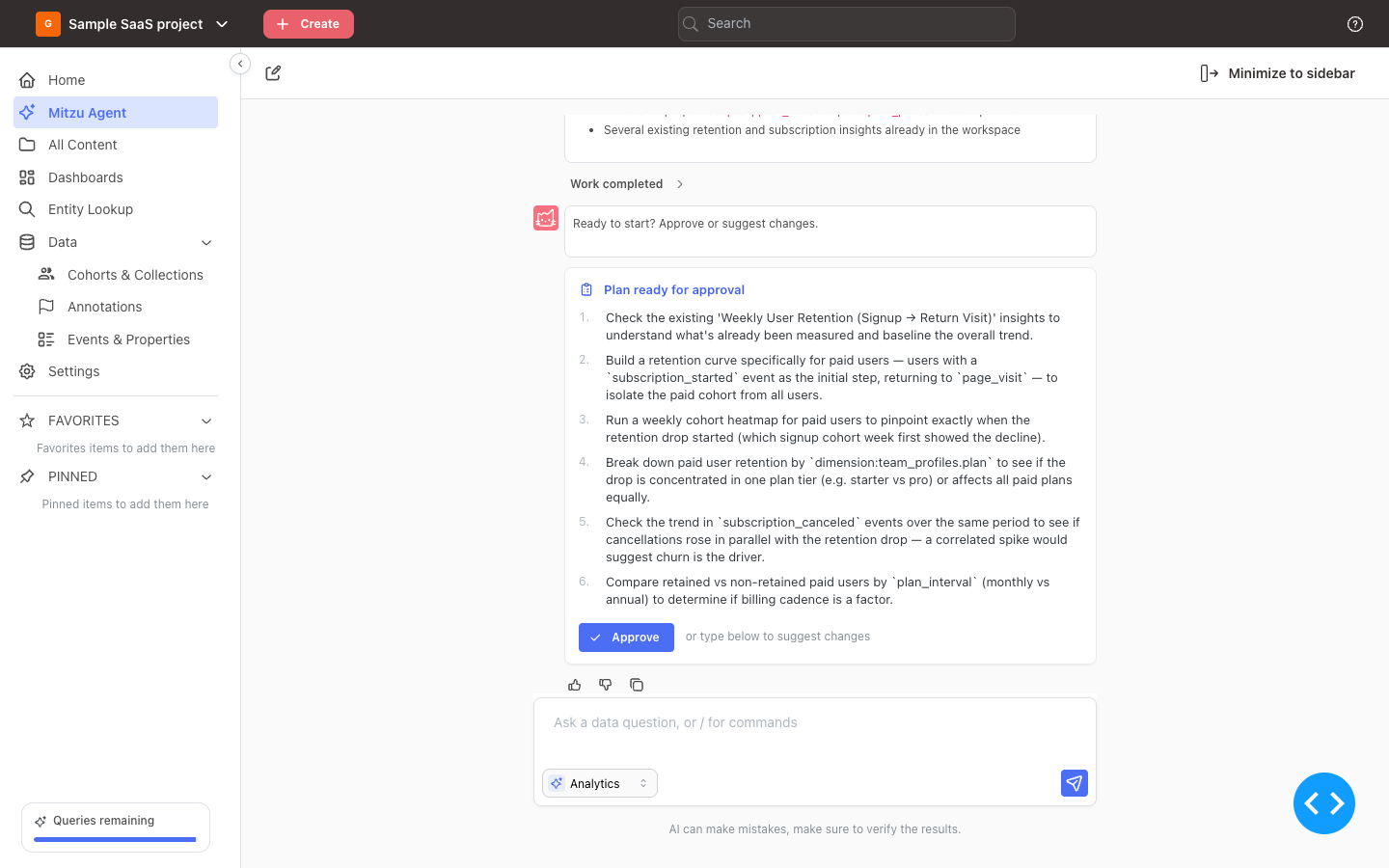
The plan you see isn't generic. Before suggesting anything, the agent has a quick look at your workspace — existing insights that might already answer the question, and the events and properties relevant to what you're asking. Then it writes a short plan grounded in what it actually found, usually three to seven steps in plain language.
Nothing runs yet. No insights get created, no charts get drawn. The plan is a proposal — what the agent intends to do if you approve.
Reviewing and approving the plan
The plan arrives as a checklist with every step ticked. Three ways to respond:
- Approve everything — click Approve plan and the agent starts executing.
- Skip a step — untick it, then click Approve plan. The button counts what is left ("Approve plan 4 steps"), and the agent runs only the steps you kept.
- Suggest changes — type your modifications in the chat input instead. The agent will revise the plan and wait again.
You can iterate on the plan as many times as you need before approving. Nothing runs until you say go.
Modifying the plan before approval
Unticking a step drops it. For anything else, describe the change in plain language:
- Drop steps — untick them, or say "skip the last two", "no need to check cancellations"
- Narrow scope — "focus only on retention", "just look at the monthly plan"
- Add steps — "also break down by country", "include a comparison to last quarter"
- Reorder — "do step 3 first"
- Rewrite from scratch — "let's start over, just compare paid vs free retention"
The agent rewrites the plan based on your feedback and waits for approval again. This loop is the core of planning mode — it's faster to refine a plan in chat than to wait for a finished analysis and then redirect.
Execution after approval
Once you approve, the plan turns into a live todo widget. The agent works through the steps in order, marking each one in-progress, then completed, as it goes. Charts and intermediate findings appear inline as each step finishes.
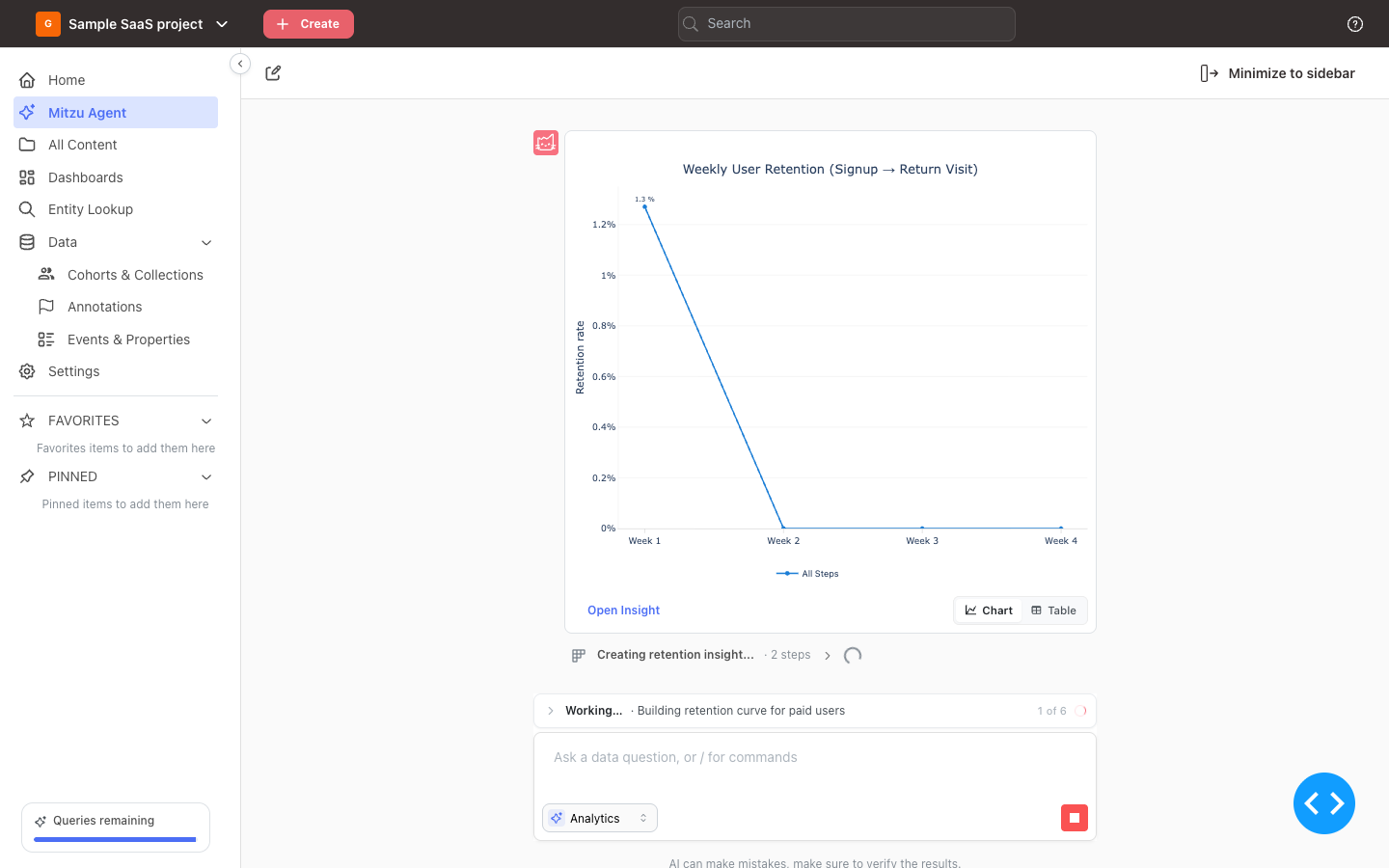
When the last step completes, the agent ends with a written findings summary: headline, key details, and recommended next steps.
How it differs from a regular question
| Regular question | Planning mode | |
|---|---|---|
| First agent action | Starts investigating immediately | Light discovery, then proposes a plan |
| You review before work? | No — you see results | Yes — you approve the steps |
| Best for | Direct, well-scoped questions | Broad, multi-step investigations |
| Time to first answer | Faster | Slower — but the answer is more likely to be the one you wanted |
When planning mode is the wrong choice
Planning mode adds a step. Skip it when:
- You already know exactly what to ask for — "show me weekly active users for the last quarter" doesn't benefit from a plan
- You want a single metric — counts, conversion rates, retention numbers, lookups
- You're exploring conversationally — quick follow-up questions in an existing chat flow on their own
For everything else where the question is broader than the answer, planning mode is worth the extra step.