Metrics
An experiment metric is a saved insight, measured for each variant on exposed users only, from their first exposure. One primary metric decides the test; secondary metrics add supporting evidence; guardrails must not get worse.
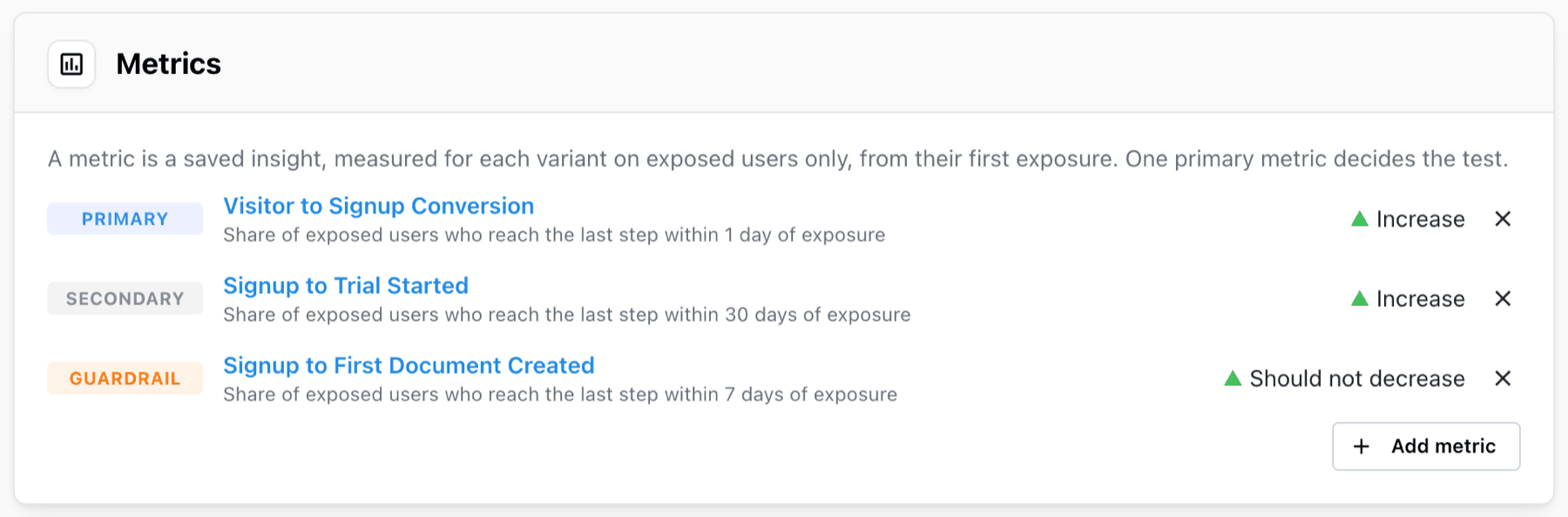
Adding a metric
- In the Metrics card of the experiment form, click Add metric.
- Choose a saved insight. The list opens with the 50 saved insights of the workspace viewed most in the last 30 days; type a name to search all of them. Insights that can't be tested are listed but greyed out, with the reason.
- Choose its role: Primary, Secondary or Guardrail.
- Choose which direction is good:
An increase is goodorA decrease is good. For a guardrail this reads asShould not decreaseorShould not increase. - Click Add metric.
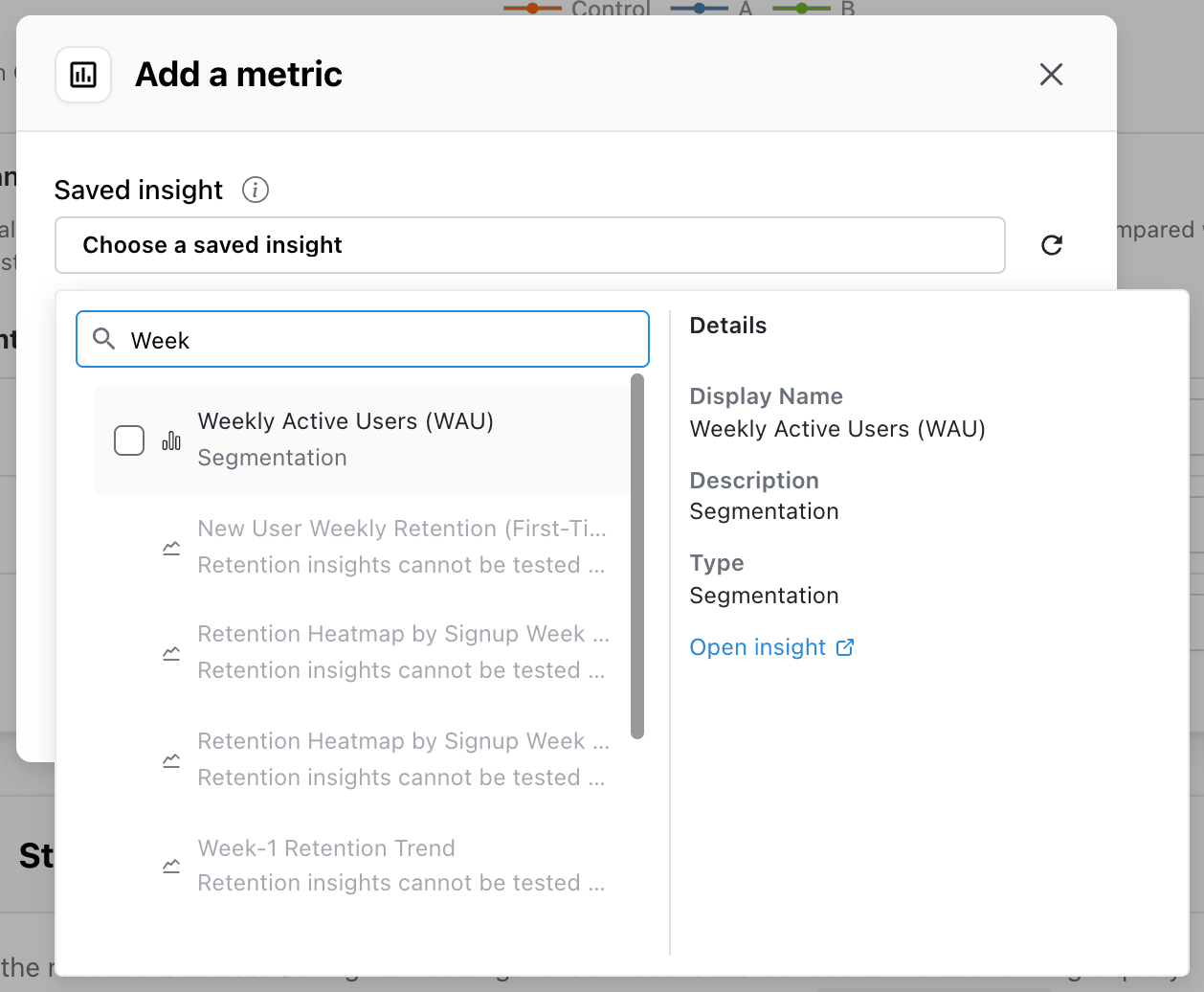
The metric doesn't exist yet? New saved insight opens a new insight in another tab. Save it there, come back and click Reload the saved insights to see it in the list.
A saved insight can be a metric only once per experiment. Remove a metric with the trash icon on its row.
Metric roles
| Role | What it does |
|---|---|
| Primary | Decides the test. Exactly one per experiment. The verdict, the sample plan and the traffic split check are all about this metric. |
| Secondary | Supporting evidence: shown with a significance test, but doesn't change the verdict |
| Guardrail | Must not get worse. Shows Within guardrail or Guardrail breached; never wins |
Choosing the primary metric. Pick the one number you would act on. If the test is about the signup form, the primary metric is signup conversion, not revenue three months later: the further a metric is from the change, the more users it takes to see an effect on it.
Choosing guardrails. Guardrails catch a variant that wins by doing damage somewhere else: a signup form that converts more people who never activate, a pricing page that sells more but raises refunds. Typical guardrails are cancellations, refunds, support tickets, errors and page load time.
Secondary metrics. Use them for the steps between the change and the business result — the next step of the funnel, a second outcome you expect to move. Each one you add takes part in the multiple-comparison correction and widens the intervals a little, so add the ones you would actually look at.
Which saved insights can be tested
| Saved insight | Measured as | Shown as |
|---|---|---|
| Funnel measuring the conversion rate | Share of exposed users who reach the last step within 7 days of exposure | a rate, e.g. 12.40% |
| Segmentation counting unique users | Share of exposed users who did it | a rate |
| Segmentation counting events | Events per exposed user | a number, e.g. 3.42 |
| Segmentation summing an event property | Sum of revenue per exposed user | a number |
Segmentation with two segments and the formula A / B, each counting events or summing a property | Sum of revenue in A per events of B, over exposed users | a number |
The rest can't be tested yet. The picker greys them out and says why:
- journeys (
Journeys have no single number per variant.) and retention insights; - reverse funnels, funnels that measure something other than the conversion rate (time to convert, converted users) and funnels with holding constants;
- segmentations that average or take a percentile of a property, or average per active user;
- segmentations with several segments or a formula other than
A / B.
An insight that contains only the exposure event can be picked, but saving the experiment refuses it:
This saved insight only contains the exposure event, so there is nothing to measure after exposure.
To test average order value, save a segmentation with two segments — the sum of revenue on
order_completed as A and the count of order_completed as B — and the formula A / B.
To test revenue per user, save a segmentation that sums revenue: Experiments divides it by every
exposed user, buyers or not.
How a metric is measured
Mitzu builds a new query from the saved insight for each evaluation:
- The exposure comes first. The exposure event, with its "Only where" filters and broken down by the variant property, is put in front of the insight's events as the first step. Each user's first exposure in the allocation window is where they enter.
- Only what happens after exposure counts. For a funnel, the user has to complete its steps after exposure within the funnel's own conversion window, so a 7-day funnel measures conversion within 7 days of exposure. For a segmentation, the event counts if it happens after exposure and within as many days as there are from the allocation end to the experiment end date: with allocation ending Oct 14 and the end date Oct 21, up to 7 days after each user's exposure. Experiments without a separate allocation end use the length of the test window instead.
- The insight's filters are kept. Filters on the insight and on its events apply as they do on the insight page. So does sampling.
- The date range and breakdowns are replaced by the allocation window and the variant property.
If the funnel's first step is the exposure event itself — a common way to save a "viewed pricing page → purchased" funnel — Mitzu doesn't count it twice; the step is dropped and the exposure takes its place. A first step on the exposure event with filters of its own that aren't among the "Only where" filters is not the exposure: it is kept as a separate step after it. If the insight's own filters would apply to that first step, Mitzu refuses the metric and asks you to add the filter to the experiment's "Only where" filters instead, so the population and the metric agree.
Rates and per-user values
A rate metric counts each exposed user once: did they convert or not. A per-user metric adds up each exposed user's events or values and divides by the number of exposed users, including the ones who did nothing. A ratio divides one sum by another across all exposed users of the variant.
Rates are shown as percentages with the number of converted users, for example 620 of 5,000.
Per-user values and ratios are shown as numbers with the number of exposed users, for example
5,000 users.
When a saved insight changes
A metric always uses the current version of its saved insight. If someone edits the insight — or a filter group it uses — after the results were computed, the Results card says:
A metric's saved insight, or a filter group it uses, changed since these results were computed. Re-evaluate to update.
Until you re-evaluate, the experiment has no verdict, and a ready experiment goes back to Running without Finalize. Re-evaluate to compute the results with the new definition; the metric's row in the results table then notes when the insight was edited.
If the saved insight is deleted, the metric stays on the experiment and reports
The saved insight of this metric was deleted. Remove it, or on a locked experiment move it back to
draft and choose another one.
Editing a saved insight changes every experiment that uses it, including running ones. If a running test's primary metric needs a different definition, save a copy of the insight and change the copy.