The experiments list
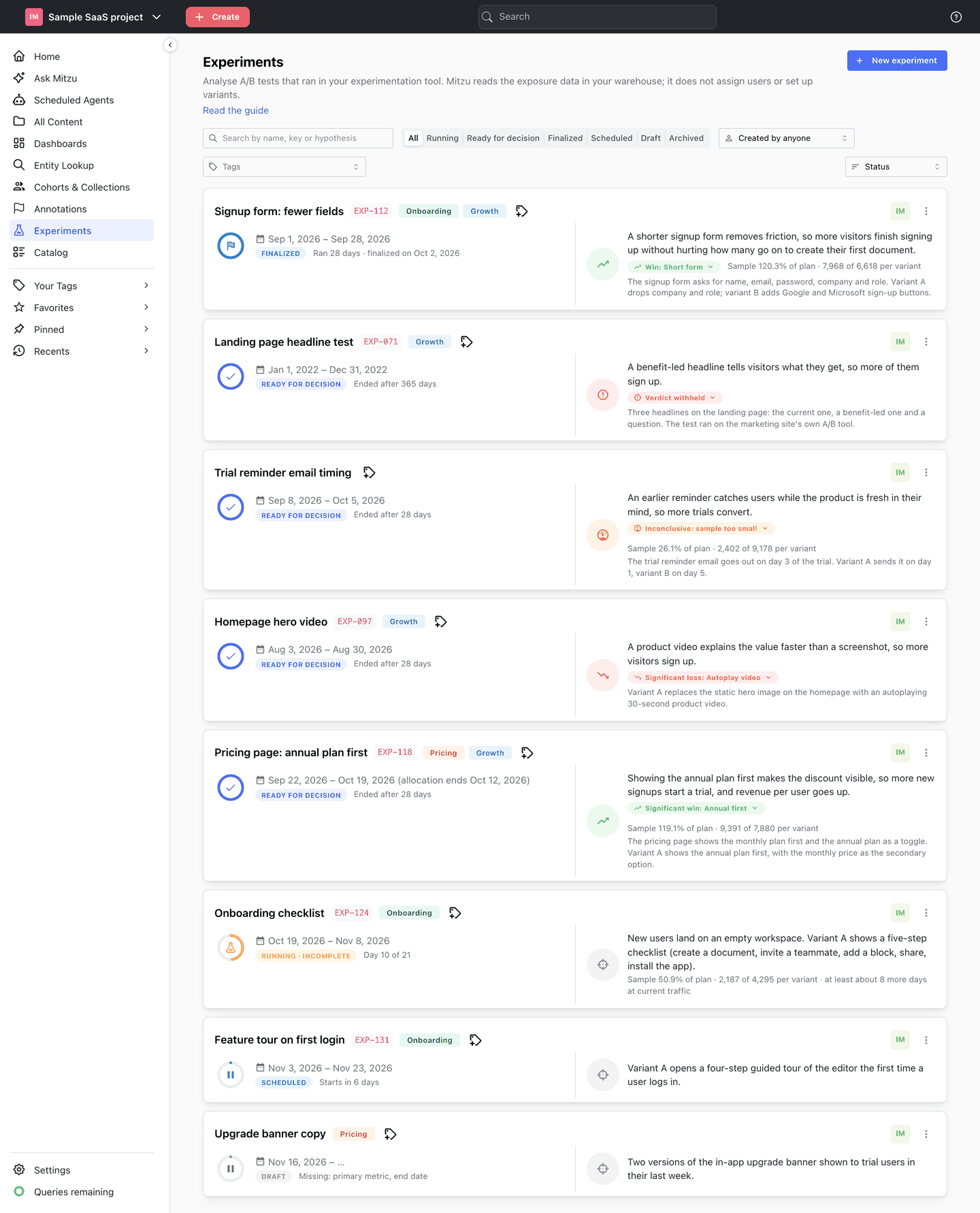
Click Experiments in the left sidebar to see every experiment in the workspace. Each card shows where the experiment stands and, once it has results, what they say.
Reading a card
- Name — opens the experiment. Under it, the key in your experimentation tool and the description.
- Tags — add or remove tags from the tag picker on the card.
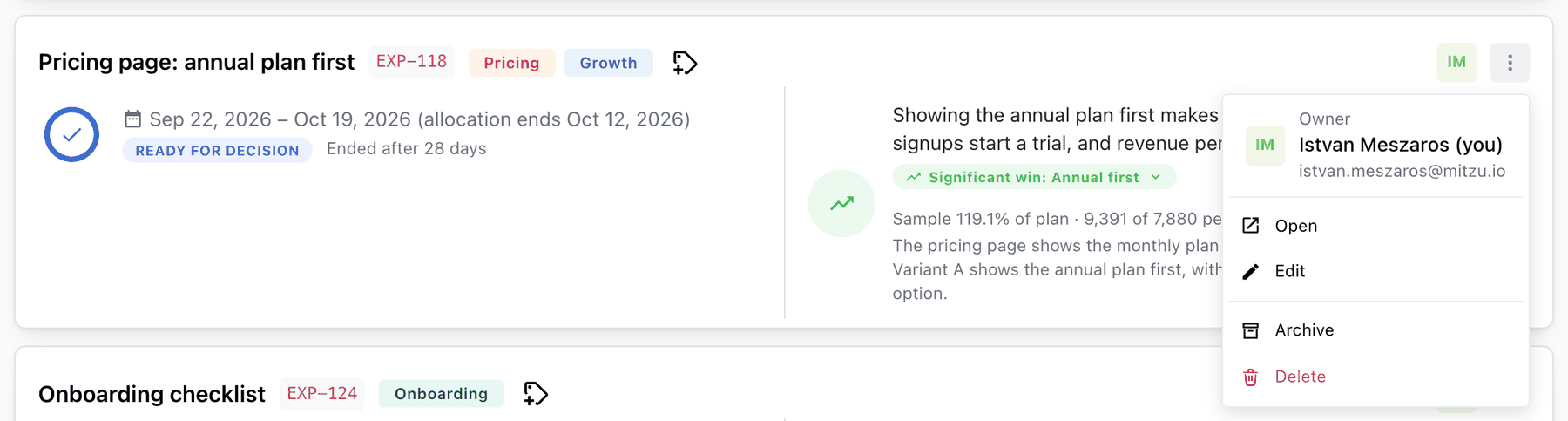
- Owner — hover the avatar to see who created the experiment.
- Progress ring and status — the stage, for example
Running · incomplete, and a progress line such asDay 10 of 21orMissing: primary metric. See Stages of an experiment. - Result badge — once the experiment is ready for decision or finalized, the verdict with its variant, for example
Significant win: Annual firstorSignificant loss: B. Click it for a summary: the headline, each variant's value and lift, a breached guardrail if any and, on a finalized experiment, the decision. - ⋮ menu — Open, Edit (the details only, once scheduled; not on finalized experiments),
Schedule experiment, Archive or Restore, and Delete.
Finding experiments

| Control | Options |
|---|---|
| Search | Matches the name, the key in your tool, the hypothesis and the description |
| Status | All, Running, Ready for decision, Finalized, Scheduled, Draft, Archived |
| Owner | Created by anyone, Created by me, or any owner by name |
| Tags | One or more tags |
| Sort | Status, Owner, Start date, End date, Title |
Filters combine: Ready for decision with the tag Pricing lists the pricing tests waiting for a
decision.
Sort orders
- Status (the default) — the latest stage first: Finalized, Ready for decision, Running, Scheduled, Draft, then Archived.
- Owner — your own experiments first, then by owner name.
- Start date / End date — latest first; experiments without dates come last.
- Title — alphabetical.
Archived experiments are hidden unless you pick the Archived status.
Experiments elsewhere in Mitzu
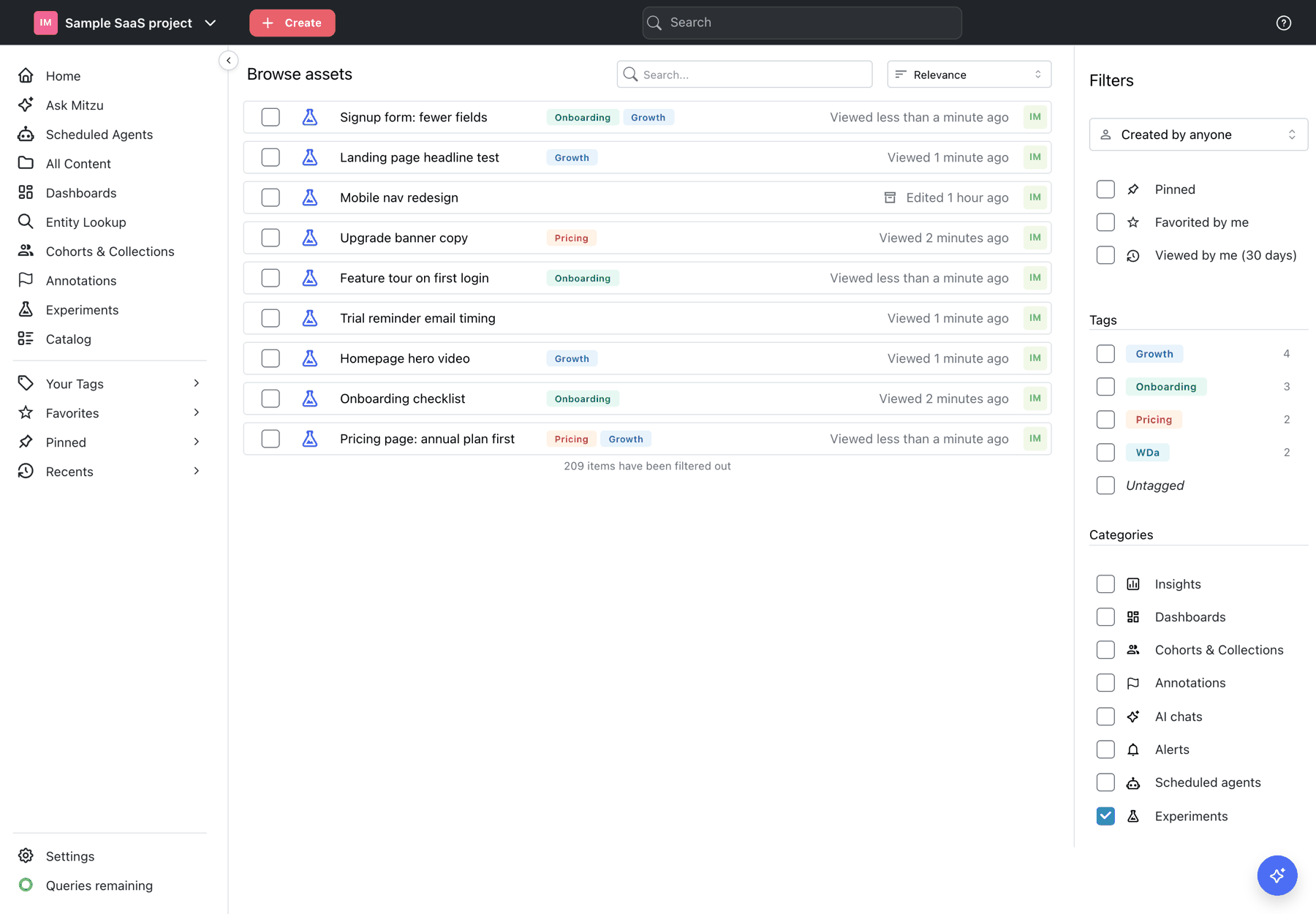
- All content / Browse. Experiments have their own
Experimentscategory and can be filtered by tag and owner like insights and dashboards. Archived experiments are listed too, with the archive icon. - Global search. Type part of an experiment's name; the
Experimentschip limits the results to experiments. - Recents. Opening an experiment puts it in Recents and in
Viewed by me. - Tags. Experiments count towards each tag's usage in the sidebar and in tag settings.
- Create menu. Create → Experiment in the left sidebar opens a new experiment.
Organising a growing list
- Tag by area and quarter:
Onboarding,Pricing,Checkout,Q4 2026. A tag filter then answers "what did we test on pricing this year?". - Put the tool's key on every experiment, so the list and your experimentation tool can be matched both ways.
- Archive experiments that were set up by mistake or replaced by a follow-up. They stay
searchable under
Archived.