Cohorts, annotations and follow-up tests
A finalized experiment is a starting point for more analysis. The Follow-up card turns it into cohorts of each variant's users and into annotations on your charts, and Duplicate as follow-up starts the next test from it.
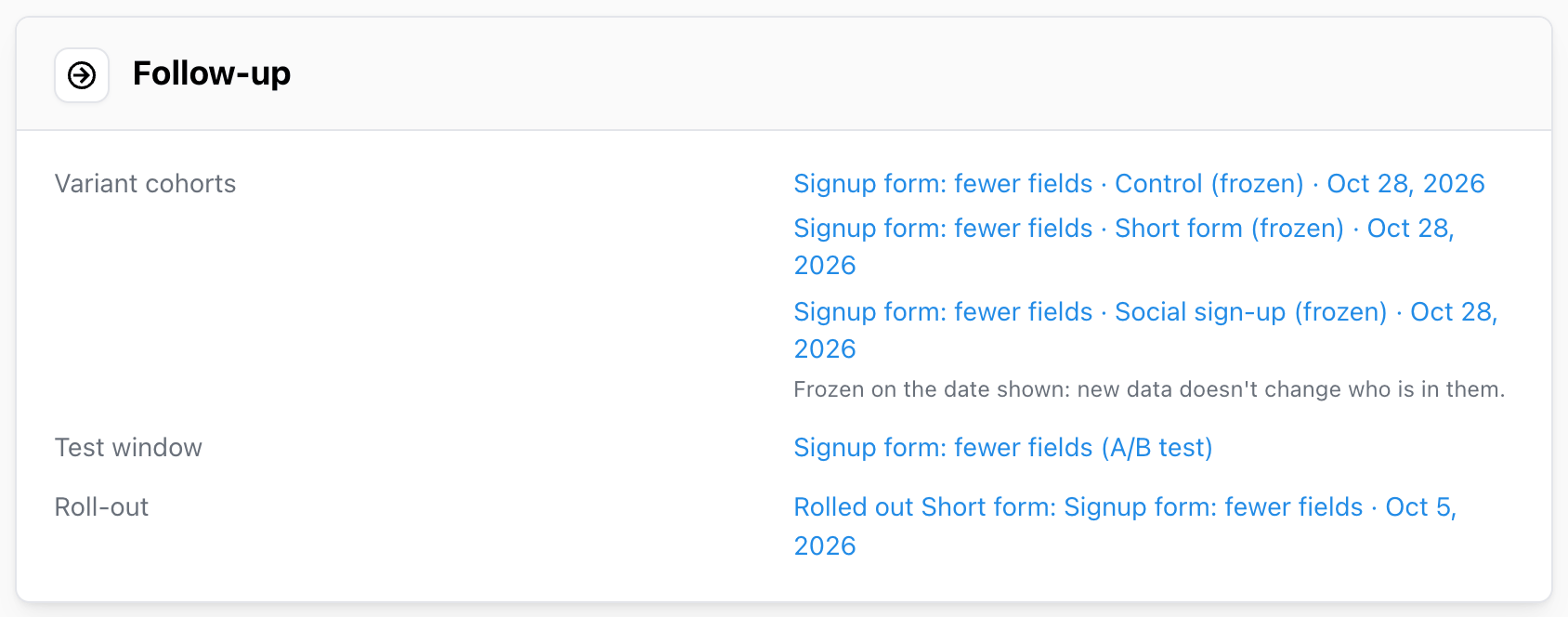
Variant cohorts
Click Save variant cohorts on the Follow-up card. Mitzu saves one cohort
per variant, holding the users exposed to that variant: Variant cohorts saved and frozen.
- Frozen. Each cohort is a fixed list of users, cut off at the date the experiment was finalized, or the end of the test window if that came first. New data never adds users to it.
- Named after the experiment.
Signup form: fewer fields · Short form (frozen). The name shows wherever cohorts are listed: Cohorts & Collections, filter pickers, the agent. The description says which experiment and which dates the cohort covers. - Listed on the card with the date each one was frozen.
Use variant cohorts to answer what the experiment's metrics didn't:
- Did the users who saw the winning variant retain better over the next three months? Build a retention insight filtered or broken down by the cohorts.
- Which features did each variant's users go on to use? Compare the cohorts in a segmentation.
- Who exactly saw the new checkout? Open the cohort and look up individual users.
A frozen cohort can hold at most 200,000 users. A larger variant fails to save with a message, and nothing is written.
Cohorts need the variant property in your event catalog. If it isn't there, refresh the catalog and save the variant cohorts again.
After reopening
Reopening the experiment leaves the cohorts as they are and shows Refresh frozen cohorts on the
Follow-up card. Click it to replace their users with the experiment's exposed users now:
Frozen variant cohorts refreshed. See
Reopening and re-evaluating.
Annotations
Annotations mark dates and date ranges on every chart in the workspace, so a jump in a dashboard can be traced back to the test that caused it.
- Test window. Click Add to annotations next to
Test window, or tick the box when you finalize. The test appears as a range namedSignup form: fewer fields (A/B test). - Roll-out. Added when you finalize with the
decision
Roll out: the Roll-out date in the Finalize modal, today by default, sets its day. The annotation is named after the winner, for exampleRolled out Short form: Signup form: fewer fields, and is listed next toRoll-outon the Follow-up card. To change the date afterwards, edit the annotation itself; see Editing global annotations.
Set the roll-out date to the day the winner reached everyone. Weeks later, it is what explains why the signup rate on the company dashboard stepped up.
Follow-up experiments
Duplicate as follow-up copies the experiment into a new draft named Follow-up: <name>, with the
same population, variants, metrics, statistics settings, sample plan, hypothesis and description.
The test window, key and link are left empty for the new test:
Follow-up experiment created as a draft.
Use it to:
- re-test an inconclusive result, or one whose sample was too small, with a longer window;
- test the next iteration of a winning idea against the new control;
- confirm a surprising win before a costly roll-out.
Edit the hypothesis and the variants to match the new test before scheduling it.
When the definition changes
Variant cohorts and the test-window annotation describe the experiment as it was when they were
created. If the experiment is reopened, moved back to draft and saved with a different definition,
they are renamed with (superseded) so nobody mistakes them for the new test's, and they leave the
Follow-up card. Roll-out annotations keep their names.
Deleting an experiment keeps the cohorts and annotations created from it.