Reopening and re-evaluating
A finalized experiment keeps the results its decision was based on. Two actions let you look again later: Re-evaluate checks today's numbers against the recorded decision and changes nothing; Reopen removes the decision so you can adopt new results and decide again.
Re-evaluating a finalized experiment
Late-arriving data, a fixed tracking bug or a corrected metric definition can change a result after you have decided. To see whether it changes yours:
- Click Re-evaluate in the page header or the Results card.
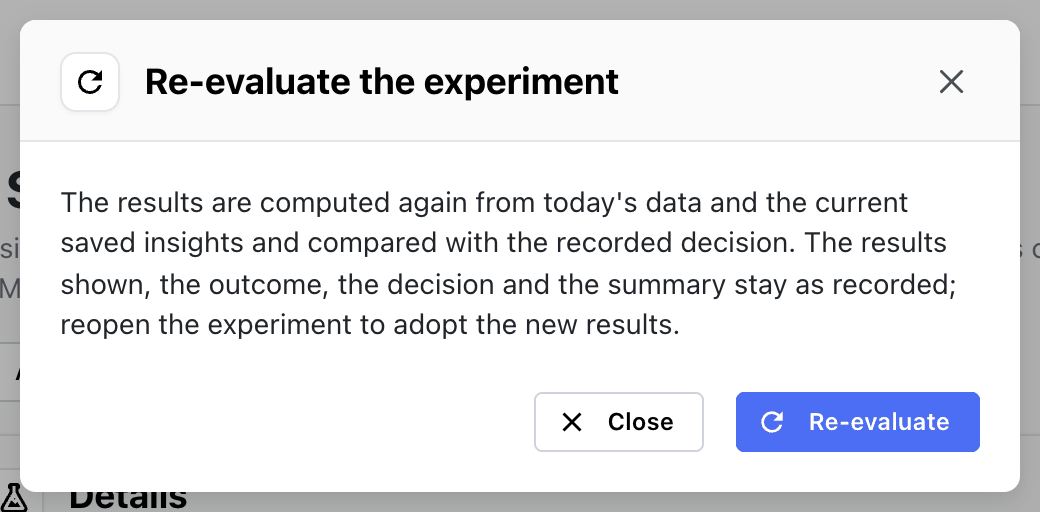
- Confirm in the Re-evaluate the experiment dialog. The results are computed again from today's data and the current saved insights.
- When the new results land, the Summary card records it:
Results recomputed on Nov 3, 10:12 UTC, after the experiment was finalized. The results shown are still the ones the decision was based on.
If the new results point to a different outcome, the Summary card says so, for example
The recomputed results point to no significant difference, not the recorded win. The results shown,
the outcome, the decision and the summary stay as recorded. Reopen the experiment to adopt the new
results.
When a metric's saved insight changes after the experiment was finalized, the Summary card notes it:
A metric's saved insight, or a filter group it uses, changed after the experiment was finalized. The results shown stay as recorded; re-evaluate to compare the change with the decision, or reopen the experiment to adopt it.
An archived experiment has to be restored before it can be re-evaluated.
Reopening
Reopen removes the recorded outcome, decision and summary. The experiment goes back to
Ready for decision with its latest results: Experiment reopened. Re-evaluate to update the results.
Reopen when:
- a re-evaluation points to a different outcome and you want to decide again;
- the decision was recorded on the wrong variant or with the wrong outcome;
- a tracking problem was found and fixed, and the test should be judged on corrected data.
After reopening, evaluate if needed, then finalize again.
Reopening doesn't unlock the definition. To change the population, metrics or test window, move the experiment back to draft as well — which also hides its results until it is scheduled and evaluated again.
Frozen variant cohorts after reopening
Variant cohorts saved before reopening keep their users. The Follow-up card stays visible with a Refresh frozen cohorts button:
The experiment was reopened. Refresh the frozen cohorts to match its exposed users now; nothing changes them until you do.
If you finalize again, the card offers the refresh once more, because the cohorts predate the new decision.
Re-evaluate or reopen?
| You want to… | Use |
|---|---|
| Check whether the decision still holds | Re-evaluate |
| Keep the original record intact for an audit | Re-evaluate |
| Correct the recorded outcome or decision | Reopen |
| Base the decision on corrected data | Reopen, then evaluate and finalize |
| Change what the experiment measures | Reopen, then Back to draft |